
Work out the STCs and rebates, then get it signed on their phone.
Solar eCRM builds the quote with STCs, the Solar Victoria rebate and GST, turns it into a proposal your customer can follow, and takes their signature online. Deposits, invoices and installs carry on from the same record.
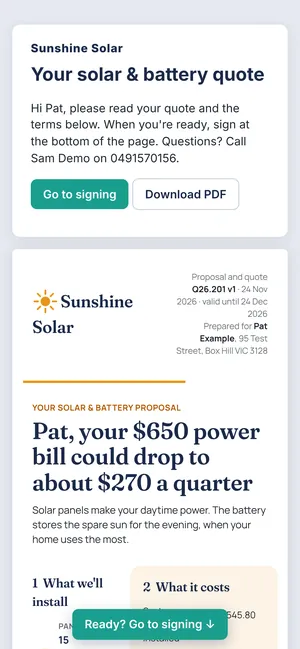
From the first call to the signed job, one record
Five steps, all in Solar eCRM.
- 1Lead inSource, owner and follow-up date recorded. Unsolicited leads are flagged for cooling-off.
- 2Roof and panelsRoof analysis and a panel layout on the map.
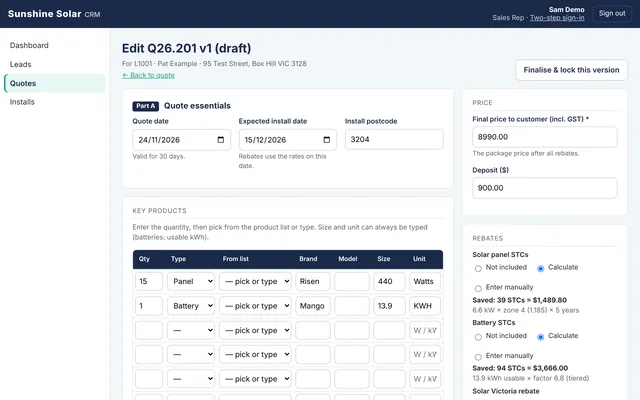
- 3Quote and rebatesSTCs for panels and batteries, Solar Victoria and GST worked out line by line.
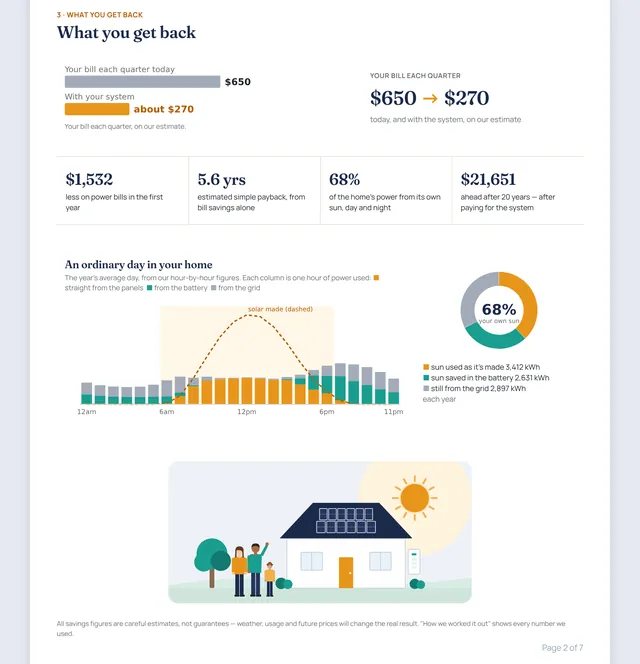
- 4ProposalTheir bill today and with the system, in plain words.
- 5Signed, deposit, installSigned on a phone, then deposit, invoice and install on the same job.
For owners
See what's quoted, signed, paid and installed this month
Every rep's leads, overdue follow-ups and outstanding balances on one screen. Each company's data is kept apart from every other company's.
Solar CRM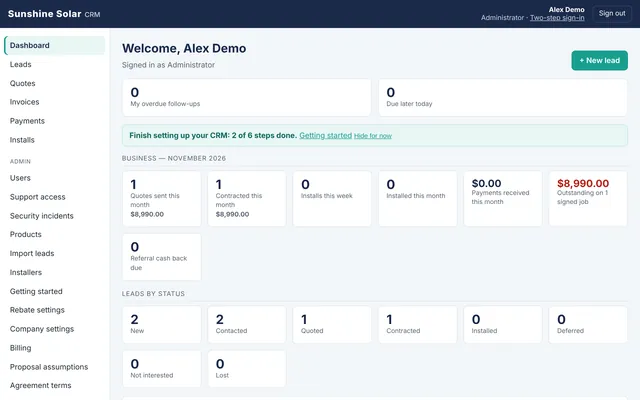
For sales reps
Quote, design and sign in one visit
The proposal starts from their power bill and shows what changes, with every number explained. They sign on their phone before you leave.
Solar proposal softwareFor operations
Deposits, invoices and installs on the same job
Once it's signed, take the deposit, issue invoices, book the installer and send the job pack, without copying anything into another system.
Solar CRM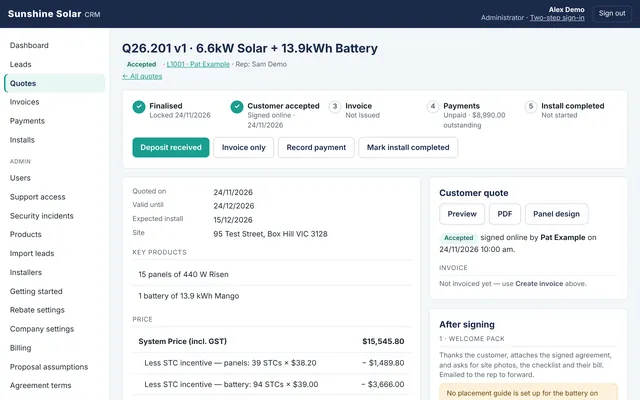
Australian rules, kept current in the quote
Rules change every six months. Solar eCRM changes with them, before they take effect.
- Battery STC tiersFrom 1 May 2026: 100% to 14 kWh, 60% to 28 kWh, 15% to 50 kWh, by installation date.
- Solar VictoriaThe rebate worked out on the quote, next to the STCs.
- Cooling-off10 business days, marked from the lead source. Staff are warned before taking a deposit.
- GST and consentGST basis set per company. Marketing consent can be recorded on each lead.
Since 2013
Built by a Melbourne solar retailer
Mounesh Badiger started Solar eCRM in 2013. Version 2 is built from the CRM his own retailer, Mercy Rays, uses every day. It's the founder's business, so we say so.
Want to see it on one of your own jobs? Mounesh runs every demo himself.
See one of your own jobs quoted in 10 minutes
A screen-share with Mounesh. Bring a recent bill or address and watch the quote, rebates and proposal come together.