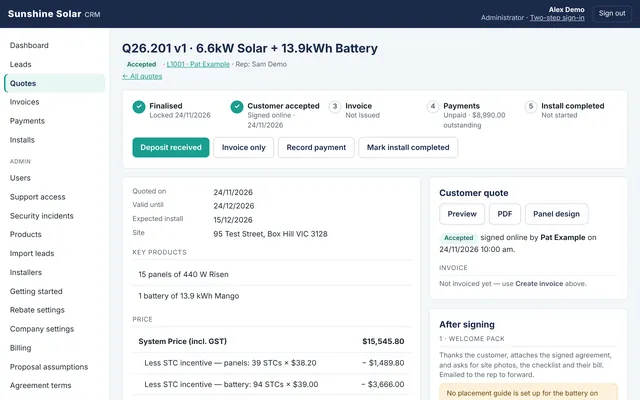
How a solar job moves through Solar eCRM
One record from the first call to the finished install. Each step below is a real screen with demo data.
Step 1
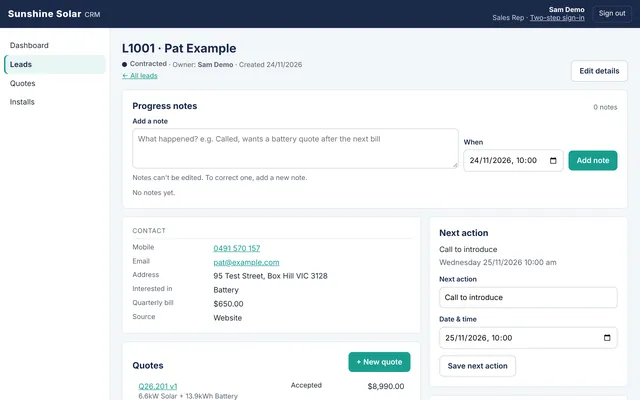
Lead in
Add a lead by hand, import a spreadsheet, or collect them with a Google Form. Each lead has a source, an owner and a next action with a date. Reps get a 7 am email of what's overdue. Leads from unsolicited sources, such as door-knocking, are marked for cooling-off.
Step 2
Roof, bill and panels
Look up the roof from the address and lay out panels on the map. Upload the customer's power bill and its details are read for the rep to check, so the proposal uses their real figures.
Panel designer screen to come.
Step 3
Quote and rebates
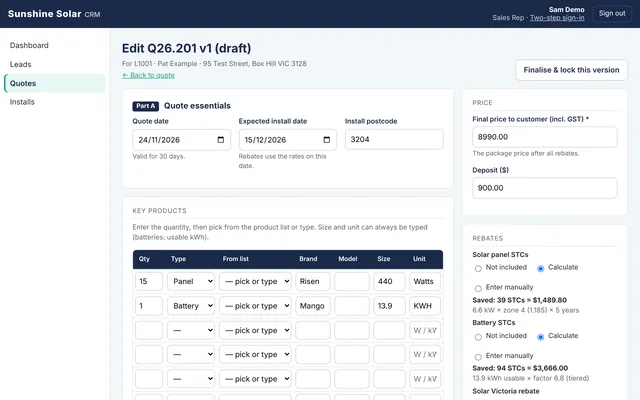
Pick the panels, inverter and battery. Panel STCs, battery STCs and the Solar Victoria rebate are worked out for the postcode and install date. Set the price; GST follows your company's setting.
Step 4
Proposal
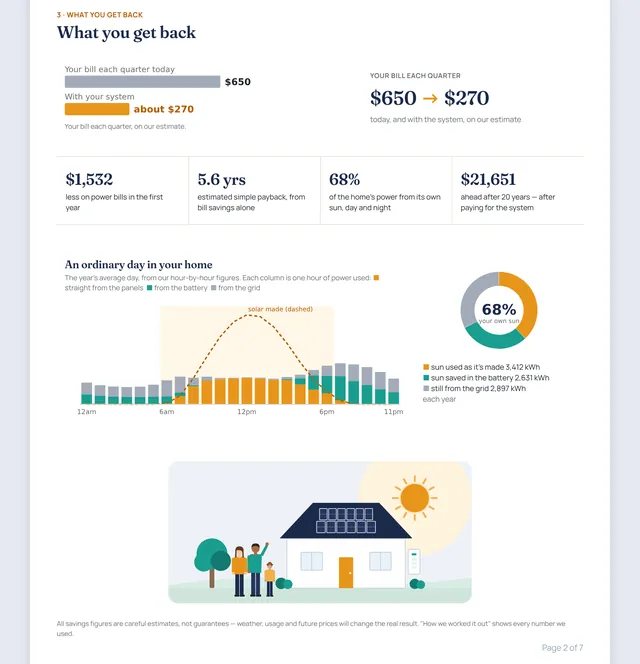
Finalise the quote and the proposal is built from it: the bill today and with the system, what's installed, every rebate on its own line, and the working behind every number.
Step 5
Signed online
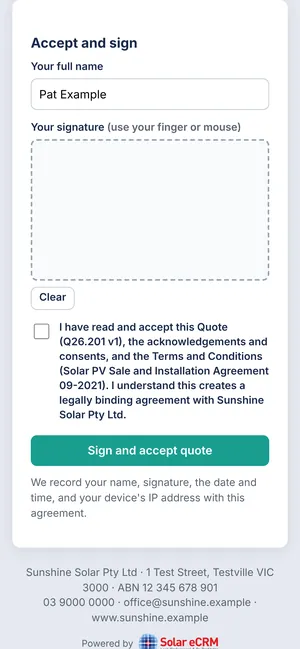
Send the signing link. The customer reads the quote and your terms on their phone and signs with a finger. Their name, signature, date and time and device IP address are kept with the agreement.
Step 6
Deposit, invoice, install
Record the deposit, issue invoices and receipts, book the installer, send the job pack, and mark the install complete. Ask for a referral when it's done.